
Running an online business in Bangladesh is both exciting and challenging. Competition is growing fast, and customers expect quick, error-free service. If you’re spending hours every day managing orders, updating inventory, or fixing mistakes, you may wonder: Is there a better way? The answer is yes—e-commerce automation. Automating your ecommerce operations can help you save time, reduce costly errors, and boost your profits, all while giving your customers a smoother shopping experience.
Today, successful ecommerce store owners are turning their online shops into fully automated ecommerce businesses. Automation means using software and smart tools to handle repetitive tasks. You no longer have to process every order manually, send each marketing email yourself, or update product stock one by one. Instead, automation does the heavy lifting, so you can focus on growing your business.
This guide will show you how to automate your ecommerce operations step by step. You’ll learn about key areas like marketing, order management, shipping, and accounting automation. We’ll also explain how platforms like Amazon and Walmart use automation, and why agencies like Bizmation are making it easier than ever to build a scalable, automated ecommerce business in Bangladesh.
E-commerce automation is the process of using technology to perform tasks in your online store automatically. These tasks can include sending emails, updating inventory, processing orders, creating shipping labels, or handling returns. Instead of spending time on each step, you set up rules or workflows, and the software takes care of it for you.
For example, imagine a customer places an order. With automation, the system can:
Confirm the order via email
Check inventory and update stock numbers
Generate a shipping label
Send tracking information to the customer
Notify your team if there’s a problem (like low stock)
Automation can handle dozens of similar tasks, reducing manual work and minimizing mistakes.
Saves time: Automates repetitive tasks so you can focus on strategy and growth.
Reduces errors: Automated workflows follow rules exactly, cutting down on costly mistakes.
Increases profits: Fewer errors and faster processes mean happier customers and more sales.
Scales easily: Automation can handle more orders without adding extra staff.
Improves customer experience: Faster, more accurate service keeps buyers coming back.
Let’s look closer at some of these benefits:
Saving Time: Time is money for every business owner. When you automate order processing, for example, you can process ten or even a hundred orders in the time it used to take to handle just one. Think about all the small but important steps—like confirming orders, updating inventory, and printing shipping labels. Each one may take only a few minutes, but when you have many orders, the time adds up fast. Automation gives you back those hours to spend on marketing, finding new products, or simply taking a break.
Reducing Errors: Human mistakes are common, especially when you’re tired or rushing. Typing a wrong address, sending the wrong product, or forgetting to update stock can hurt your business. Automation follows your rules perfectly every time. For example, when an order comes in, the system can double-check the shipping address and update your inventory right away. This means fewer angry customers and fewer returns.
Increasing Profits: When things work smoothly, your costs go down. You spend less on fixing mistakes, handling returns, or paying extra staff during busy times. Customers get their orders quickly and accurately, so they’re more likely to come back and tell their friends. Even a small improvement in order accuracy or speed can mean a big jump in repeat sales and profits.
Scaling Easily: As your business grows, manual work becomes a bottleneck. What works with 10 orders per day can break down with 100 orders. Automation handles growth smoothly. You don’t need to hire lots of new staff just to keep up. Instead, you can handle more orders with the same small team, or even alone.
Improving Customer Experience: Fast, reliable service is key to winning in ecommerce. Automated systems send order confirmations, shipping updates, and follow-up emails right away. Customers know what’s happening and feel confident about their purchase. Happy customers buy more and leave positive reviews—this is how successful brands are built.
At its core, ecommerce automation uses triggers and actions. A trigger is an event (like a new order), and an action is what happens next (like sending an email). You can set up simple rules or more complex workflows, depending on your needs.
For example:
Trigger: Customer abandons cart
Action: Send a reminder email after 1 hour
Or:
Trigger: Inventory drops below 5 units
Action: Notify you, pause ads, or reorder products
The power of automation is that it works 24/7, even when you’re asleep or busy with other tasks.
More Examples:
If a customer buys for the first time, they receive a welcome email with a discount code for their next purchase.
When a product is restocked, an automated message goes out to customers who asked to be notified.
If a payment fails, the system automatically sends a reminder to the customer and puts the order on hold.
Deeper Insight: Many beginners think automation is just about emails or inventory. But modern tools can also automate complex tasks like changing prices, pausing ads when stock runs out, or routing orders to the nearest warehouse. Some advanced systems even “learn” from your data and improve over time.
In Bangladesh, ecommerce is booming. More people are shopping online, and new sellers join the market every day. This growth brings new challenges:
Managing high order volumes: During festivals or sales, order numbers can spike.
Handling inventory: Keeping track of hundreds or thousands of products is tough.
Providing fast delivery: Customers expect next-day or even same-day shipping.
Competing with big players: Amazon, Walmart, and Daraz use advanced automation.
If you rely only on manual work, you might fall behind. Automation helps you keep up—and even outpace—your competition.
Let’s look at these challenges in more detail.
Managing High Order Volumes: During special times like Eid, Pohela Boishakh, or year-end sales, you might see two, five, or even ten times your usual orders. If you process everything by hand, it’s easy to get overwhelmed. Orders can pile up, errors increase, and delivery delays upset customers. Automation means your systems can handle a sudden rush with no stress.
Handling Inventory: Many Bangladeshi sellers work with multiple suppliers, stock rooms, or even family members helping manage stock. It’s easy to lose track—especially if you sell on several platforms. Automation ensures your inventory numbers are always current, wherever you sell.
Providing Fast Delivery: Big companies have set high standards. People now expect same-day or next-day delivery, even from small shops. If you’re still writing addresses by hand or calling couriers manually, you can’t keep up. Automation speeds up every step, from printing shipping labels to updating customers about their order status.
Competing with Big Players: Large companies like Amazon and Daraz use automation for almost everything—listing products, processing orders, updating stock, and communicating with customers. If you want to compete, you need similar tools. The good news is, automation software is now affordable for small Bangladeshi businesses too.
Manual data entry mistakes (wrong addresses, order numbers)
Slow response times to customer questions or problems
Stockouts or overselling due to outdated inventory data
Late shipments because of paperwork or missed orders
Difficulty scaling as your business grows
Let’s add some real-world examples:
You sell on both your website and Daraz. A customer orders the last piece from your website, but you forget to update Daraz. Another customer orders the same product on Daraz. Now, you have to cancel one order, which can hurt your ratings.
A customer messages you at 11pm asking, “Where is my order?” If you reply manually, you might not see the message until the next day. With a chatbot, the customer gets an instant update, even while you sleep.
Hidden insight: Many Bangladeshi sellers waste time on low-value tasks, like copying addresses into courier portals, instead of focusing on marketing or finding new products. Automation frees you from these tasks so you can grow your business.
With automation, these problems become much easier to manage. You can deliver the fast, reliable service that Bangladeshi shoppers now expect.
Automation can touch almost every part of your online store. Here are the most important areas for Bangladeshi ecommerce owners to focus on.
Marketing is the engine that drives sales. But sending emails, posting on social media, and following up with customers can take hours each week. Marketing automation tools handle these tasks for you, so you reach more people with less effort.
Welcome Emails: Automatically send a friendly message to new subscribers or buyers.
Cart Abandonment Reminders: Email shoppers who leave without buying.
Order Follow-ups: Ask for reviews or send thank-you messages after delivery.
Personalized Offers: Send discounts to customers based on their past shopping habits.
Social Media Posts: Schedule posts across Facebook, Instagram, or LinkedIn.
Customer Segmentation: Group customers by location, spending, or interests for targeted campaigns.
Deeper Example: Suppose a shopper visits your site, adds a product to the cart, but leaves without buying. Your automation tool waits an hour, then sends a reminder email with a photo of the product and a limited-time discount. If the customer still doesn’t buy, a final reminder goes out the next day. This sequence can recover many lost sales—without you lifting a finger.
You can also set up automation to celebrate customer birthdays, send special offers during local festivals, or remind customers when it’s time to reorder a product (like vitamins or skincare).
On average, 70% of online shopping carts are abandoned. Automated emails can recover up to 20% of these lost sales. That means if 100 people leave items in their carts, you could win back 20 sales with simple reminders.
But there’s more. Advanced systems can personalize these messages. For example, if the abandoned cart contains baby products, the follow-up email might say, “Don’t miss out on these special items for your little one!” This extra personal touch increases the chance of a sale.
Mailchimp: Popular for email campaigns and audience segmentation.
Klaviyo: Good for Shopify and WooCommerce integration.
HubSpot: Offers advanced automation for growing businesses.
Facebook Business Suite: Schedule and manage posts automatically.
Bonus Insight: Many Bangladeshi sellers don’t use the full power of these tools. For example, with Mailchimp, you can create a whole series of emails for new customers—welcome, product tips, upsell offers—automatically sent over days or weeks.
Processing orders quickly and accurately is critical. Manual order entry is slow and increases the risk of mistakes. Order automation ensures every sale is processed fast and correctly.
Order Confirmation: Instantly send receipts to customers.
Inventory Updates: Deduct sold items automatically from your stock.
Order Routing: Send orders to the correct warehouse or supplier.
Backorder Notifications: Inform customers if an item is out of stock.
Fraud Detection: Flag suspicious orders for review.
Bulk Order Processing: Handle many orders at once.
Advanced Example: If you run multiple warehouses (or even just a shop and a stockroom), you can set up your system to route orders to the location with the most stock. If a product is out at one location, the order goes automatically to another. This reduces delays and shipping costs.
A common mistake is selling items that are actually out of stock. With automated inventory updates, your product listings always show the correct numbers. This avoids angry customers and lost trust.
Insight Beginners Miss: Order automation can also handle refunds and cancellations. If a customer cancels an order, the system can automatically restock the item and update your inventory everywhere.
Shopify Flow: Automate order processing on Shopify stores.
WooCommerce AutomateWoo: For WordPress-based shops.
Orderhive: Centralizes multi-channel order management.
Tip: Most order automation tools also generate useful reports, so you can see your busiest sales times, best-selling products, and customer trends.
Shipping is where many small businesses struggle. Delays, wrong addresses, and lost packages can ruin your reputation. Shipping automation speeds up delivery and reduces errors.
Label Generation: Create and print shipping labels with one click.
Carrier Selection: Choose the cheapest or fastest courier automatically.
Tracking Updates: Send tracking numbers to customers.
Shipping Rate Calculation: Show accurate shipping costs at checkout.
Return Management: Automate the returns process for customers.
More Detail: Imagine you get 50 orders in one day. With manual shipping, you have to copy-paste addresses into the courier portal, print each label, and email tracking numbers one by one. With automation, the system pulls the addresses, creates labels, and sends tracking info to each customer automatically. You can print all the labels at once and hand them to the courier.
Hidden Benefit: Automated shipping can also compare courier rates and pick the best one for each order. This can save money, especially if you ship across Bangladesh using different companies.
With a tool like ShipStation, you can process 100 orders and print 100 labels in minutes. No more copying and pasting addresses.
Extra Insight: Some advanced systems can also print custom invoices or packing slips with your logo, which looks more professional and helps build your brand.
ShipStation: Integrates with multiple couriers.
Easyship: Calculates rates and automates tracking.
AfterShip: Sends automatic delivery updates to buyers.
Local Note: Many Bangladeshi couriers now offer their own integrations, so check if your shipping partner supports automation.
Keeping your accounts in order is vital, especially as you grow. Manual bookkeeping is slow and often wrong. Accounting automation helps you track sales, expenses, and taxes with less effort.
Invoice Creation: Generate invoices for every order.
Expense Tracking: Record shipping, packaging, and other costs.
Sales Reports: Get daily, weekly, or monthly sales data.
Tax Calculations: Automatically calculate VAT or other taxes.
Bank Reconciliation: Match payments with orders.
Deeper Example: Suppose you sell 200 orders in a week. With automation, each sale is logged, an invoice is created, and the payment is matched automatically. When it’s time to pay VAT or file taxes, you have all the data ready—no last-minute panic.
Hidden Insight: Automated accounting can also help you spot trends, like which products have the highest profit margins, or where your costs are rising. This lets you make smarter business decisions.
Instead of spending hours in Excel, you can see your daily profit, costs, and sales in a dashboard. This helps you spot problems early and make better decisions.
Bonus: Many tools let you set up alerts. For example, if your expenses go above a certain level, you get notified right away.
QuickBooks Online: Popular with small businesses worldwide.
Xero: Known for its simple interface.
Zoho Books: Localized options for South Asia.
Tip: Choose a tool that connects easily with your ecommerce platform and local banks for the smoothest experience.
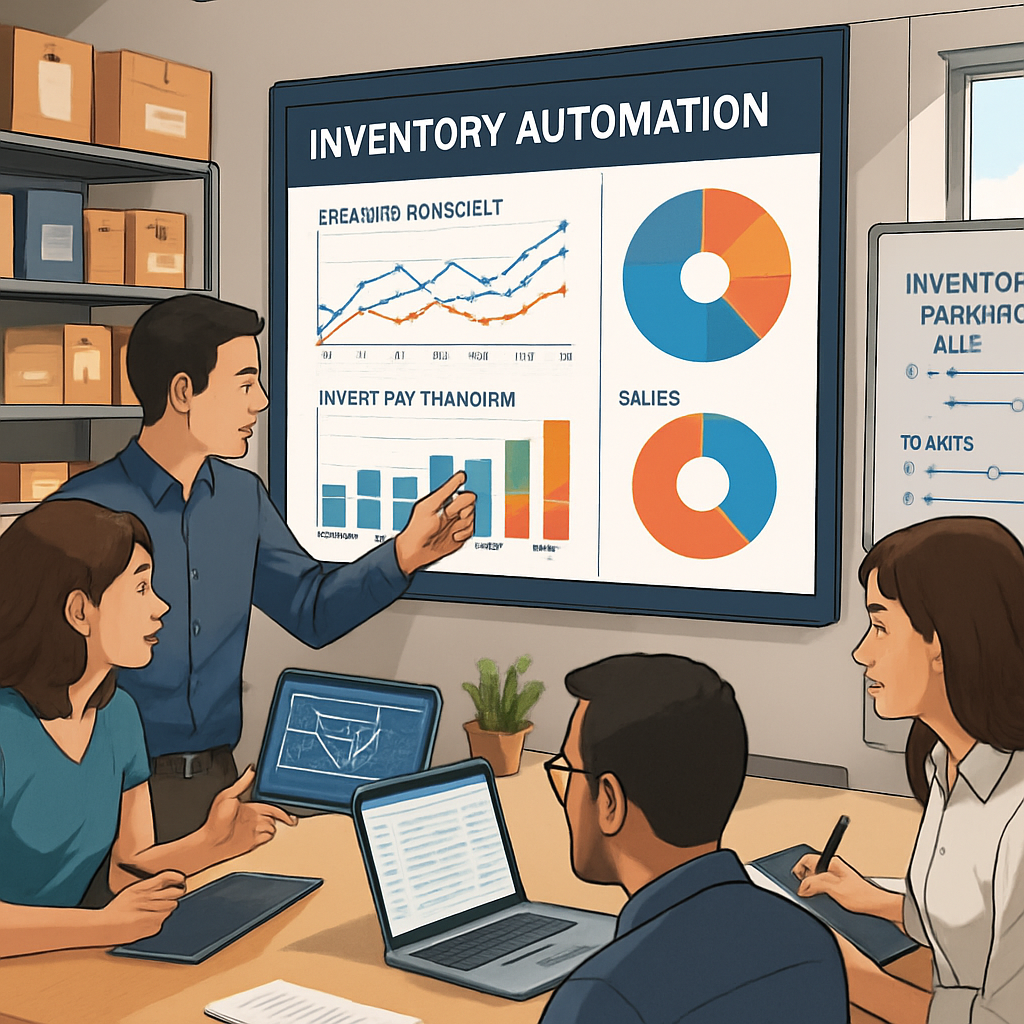
Inventory is often the hardest part for Bangladeshi sellers. Products come from many suppliers, and keeping track of stock is difficult. Inventory automation helps you avoid stockouts, overselling, and wasted storage costs.
Stock Level Monitoring: Get alerts when items are low.
Automatic Reordering: Place orders with suppliers when stock drops.
Multi-Channel Syncing: Update inventory across all marketplaces (Daraz, Amazon, your own site).
Dead Stock Identification: Spot products that aren’t selling.
Barcode Scanning: Speed up receiving and shipping.
Advanced Example: If your system notices that a popular item is almost sold out, it can automatically send a purchase order to your supplier. You can even set up approval steps—when you approve the order, the supplier is notified and restocking begins.
Hidden Insight: Dead stock (items that don’t sell) ties up your money and warehouse space. Automation tools can flag slow-moving products so you can run promotions, bundle them, or stop ordering more.
If you sell on both your website and Daraz, automation keeps inventory in sync. When a product sells on one channel, it updates everywhere, reducing the risk of overselling.
Extra: Multi-channel syncing also helps if you sell internationally (for example, on Amazon US and your local site).
TradeGecko (QuickBooks Commerce): Centralizes inventory for multiple channels.
Zoho Inventory: Useful for small to medium businesses.
Bizmation: Offers advanced inventory management tailored for Bangladeshi sellers.
Tip: Start with simple inventory automation, then add more advanced features like automatic reordering as you grow.
Great support wins loyal customers. But answering the same questions over and over is tiring. Customer support automation uses chatbots and helpdesks to answer common queries instantly.
Order Status Queries: Let customers check status automatically.
FAQ Bots: Answer common questions 24/7.
Ticket Routing: Send complex issues to the right person.
Feedback Requests: Ask buyers for reviews after delivery.
Returns and Refunds: Guide customers through automated steps.
Deeper Example: A customer clicks a link on your website and chats with a bot. They ask, “Where is my order?” The bot checks the order status and replies instantly, “Your package is with the courier and should arrive tomorrow.” If the question is more complex, the bot can send it to a human agent.
Hidden Insight: Automated support can collect feedback after every order, helping you learn what to improve.
A simple chatbot can answer “Where is my order? ” or “How do I return an item? ” instantly, even at midnight.
Tip: Many chatbots can also work on Facebook Messenger, WhatsApp, or your website, so you can support customers wherever they are.
Zendesk: Advanced ticketing and chatbot features.
Freshdesk: Simple to use, with automation rules.
Tawk.to: Free live chat for small businesses.
Extra: Even if you’re a one-person shop, a simple FAQ bot can save you hours every week.
To turn your online store into a fully automated ecommerce business, you need to connect different systems and set up smart workflows. Here’s a practical roadmap for Bangladeshi business owners.
Start by writing down every step from customer visit to product delivery. Identify where you spend the most time or make the most mistakes.
Questions to ask:
How do orders come in?
How do you update inventory?
How are shipping labels created?
How do you send marketing emails?
Practical Example: Draw a chart on paper or use a simple spreadsheet. Write each step: customer visits site > adds to cart > pays > order received > inventory updated > packing > shipping > customer notified. Note where things slow down or errors happen.
Insight Beginners Miss: Many people try to automate before understanding their workflow. This leads to wasted money on tools you don’t need.
Your choice of ecommerce platform (Shopify, WooCommerce, Magento, etc.) will affect what you can automate. Pick a platform that supports plugins and has a strong local user base.
Shopify is popular for its ease of use and wide range of Bangladeshi payment options. WooCommerce is good if you already have a WordPress site.
Deeper Insight: Check if your platform supports local payment gateways (like bKash or Nagad), local couriers, and multi-language content. The right platform saves you headaches later.
Connect your store to tools for marketing, order management, shipping, accounting, and inventory. Many tools have “plug and play” integrations.
For example:
Shopify + Mailchimp (email)
WooCommerce + QuickBooks (accounting)
Shopify + ShipStation (shipping)
Extra Detail: If you use Facebook or Instagram Shops, make sure your automation tool syncs inventory and orders there too.
Hidden Insight: Integration is not just about connecting two tools. Make sure data flows both ways. For example, when an order is shipped, the status should update in your store and in the customer email.
Most tools let you create “if this, then that” rules. For example:
If inventory < 5, send reorder email.
If customer abandons cart, send reminder after 2 hours.
If order is paid, print shipping label.
Test each rule with a few orders before going live.
Practical Tip: Start with basic rules, then add more as you get comfortable. Avoid overcomplicating things at the start.
Automation isn’t “set and forget. ” Watch for errors, failed integrations, or customer complaints. Adjust your rules as your business grows.
Advanced Example: Set up alerts for failed orders, delayed shipments, or high refund rates. Review your workflow every month to find new bottlenecks.
Hidden Insight: Ask your team for feedback. Sometimes automation creates new problems you don’t see, like confusing customer messages or missed special requests.
Once your basic tasks are automated, focus on higher-level automation:
Dynamic pricing (change prices based on demand)
Automated ad campaigns
Personalized product recommendations
As your store grows, automation handles the extra workload without needing more staff.
Deeper Insight: Advanced tools can even analyze customer behavior and send special offers to your best buyers or win back inactive customers.
An efficient ecommerce workflow is like a well-oiled machine. Every task flows smoothly into the next, with no wasted time or resources. Automation is the key to making this happen.
Removes bottlenecks: No more waiting for someone to process orders or update inventory.
Reduces handoffs: Fewer tasks passed between team members, so less confusion.
Increases speed: Orders, emails, and shipping are handled in minutes, not hours.
Makes scaling simple: You can handle 10 or 10,000 orders with the same small team.
Extra: Workflows can also be adjusted as your business changes. For example, during busy seasons you can add extra rules to prioritize high-value customers or send urgent orders to faster couriers.
Suppose you run a fashion store online. During Eid, your order volume triples. Without automation, you might miss orders, ship late, or run out of stock. With automation, every order is processed instantly, inventory updates in real-time, and customers receive automatic updates.
This keeps your workflow smooth during busy times.
More Detail: If a customer chooses “cash on delivery,” the system marks the order for manual payment verification. If they pay by card or bKash, the order is processed and shipped automatically. You and your team can see all orders in one place and track progress easily.
Workflow mapping is essential: Many shop owners jump into automation without understanding their current workflow. This leads to wasted money and tools that don’t fit.
Manual review points are still needed: Not everything should be automated. For example, high-value or international orders may need manual checks for fraud or errors.
Another Insight: Automation helps you spot weak links in your workflow. For example, if most delays happen during packaging, you might need to improve your packing process or add more staff during busy times.
Automation can be powerful, but there are pitfalls to avoid. Here’s what many beginners get wrong:
Automating too soon: Don’t try to automate every tiny task on day one. Start with the biggest pain points.
Ignoring integration: Your tools must “talk” to each other. If they don’t, you’ll end up with data silos.
Not testing workflows: Always test with real orders before going live. One small error can cause big problems.
Forgetting customer experience: Automation should make things better for customers, not worse. Don’t send too many emails or make it hard to talk to a human.
Not updating automation: As your business changes, your rules need to change too.
In-Depth Example: If you automate emails but don’t check the content, you might send out messages with broken links or wrong product names. Always review and test.
Hidden Insight: Sometimes, automation reveals underlying business problems, like poor product data or missing supplier info. Fix these before relying fully on automation.
Bangladesh has unique challenges and opportunities in ecommerce. Here’s what to keep in mind:
Automate payment confirmations for bKash, Nagad, Rocket, and card payments. Some platforms offer plugins to verify payments and update orders automatically.
Deeper Example: If a customer pays with bKash, the system can check for payment confirmation and move the order status to “ready to ship” without manual checks. This saves time and reduces errors.
Integrate with local shipping companies like Pathao, Paperfly, Sundarban, and RedX. Many now offer APIs for automatic label generation and tracking.
Extra Insight: Some couriers offer cash-on-delivery (COD) tracking and settlement reports. Automated systems can match COD payments with orders, so you always know which payments are pending.
Keep VAT and tax records automatically. Make sure your accounting software is updated for Bangladeshi law.
Example: Accounting tools can be set to add VAT to invoices automatically and generate reports for easy submission to tax authorities.
If you sell to customers in both Bangla and English, use automation tools that support multi-language templates and currency conversion.
Tip: Some tools also let you send personalized emails in the customer’s preferred language or display prices in BDT and USD.
Platforms like Daraz, AjkerDeal, and PriyoShop now allow API access for inventory and order syncing. Automation can help manage these channels alongside your own site.
Hidden Insight: Multi-marketplace syncing avoids listing the same product twice or running out of stock on one channel.
Amazon automation and Walmart automation ecommerce are hot topics worldwide. These giants use automation to handle millions of orders per day. Here’s how you can apply their methods to your own business.
Product listing creation: Bulk upload and edit thousands of SKUs.
Price adjustment: Dynamic pricing changes based on competition.
Order processing: Fully automatic, from payment to shipping.
Inventory balancing: Move stock between warehouses to meet demand.
Customer support: Automated replies and ticket routing.
Detail: Amazon’s automation can even pause ads for products that are low on stock, so you don’t waste money.
Use bulk listing tools for new products.
Set dynamic pricing rules based on sales trends.
Automate inventory updates across all sales channels.
Invest in chatbots for basic customer questions.
Extra: Tools like Repricer can automatically adjust your prices to match competitors on Daraz or Amazon.
Here’s how a typical manual process compares to automation for inventory management:
|
Step |
Manual Process |
Automated Process |
|---|---|---|
|
Stock Update |
Update each product in every channel by hand |
One update syncs to all channels instantly |
|
Low Stock Alert |
Check stock levels daily or weekly |
Receive real-time alerts and reorder automatically |
|
Overselling |
High risk, especially during sales |
Very low risk, as data is always current |
Deeper Insight: Automation also allows you to forecast demand using sales trends, so you can order the right amount of stock before busy seasons.
A study by McKinsey found that businesses using automation in ecommerce saw a 30% reduction in order errors and 25% faster shipping times. This leads to higher customer satisfaction and repeat business.
More Detail: Faster shipping means fewer complaints and refunds. Fewer errors mean less time spent on customer service and fixing problems.
For more in-depth research, you can visit [McKinsey’s automation insights](https://www.mckinsey.com/business-functions/operations/our-insights/automation-and-the-future-of-work-ten-things-to-solve-for).
If setting up automation sounds complex, you’re not alone. Many Bangladeshi business owners turn to agencies for help. Bizmation (bizmation.io) is a leading ecommerce automation agency in Bangladesh, offering smart, local solutions.
Inventory Management: Real-time stock updates and low-stock alerts across all your channels.
Fraud Order Filtering: Automatically reviews orders for signs of fraud, reducing chargebacks and losses.
One-Click Landing Pages: Instantly create high-converting pages for sales and promos.
Order Processing: Automate order routing, payment verification, and shipping label creation.
Integration with Local Couriers: Seamless connection to Pathao, RedX, Sundarban, and more.
Accounting Automation: Syncs sales and expenses with popular accounting software.
Deeper Insight: Bizmation also offers custom solutions for unique Bangladeshi needs, such as integrating mobile wallet payments or handling specific courier rules.
Bizmation clients have reported:
40% less time spent on order processing
60% fewer order errors
Faster delivery times, even during peak periods
Extra: Some clients have doubled their sales volume without hiring extra staff, thanks to automation.
Let’s compare a manual system with Bizmation’s automation:
|
Task |
Manual Method |
With Bizmation Automation |
|---|---|---|
|
Order Entry |
Type each order into a spreadsheet |
Orders are automatically recorded and tracked |
|
Shipping Label |
Copy-paste address to courier portal |
Label generated with one click |
|
Inventory Update |
Update stock by hand after every sale |
Stock updates instantly across all channels |
|
Fraud Check |
Manually check each order for red flags |
Suspicious orders are flagged automatically |
Hidden Insight: Bizmation also provides training and support, so your team quickly adapts to new systems.
Expertise: Agencies understand local needs and technical challenges.
Faster setup: Avoid common mistakes and get running quickly.
Support: Ongoing help if your needs change.
Extra: Agencies can also customize automation for your unique business model, such as handling large B2B orders or special promotions.
If you want to automate but don’t know where to start, an agency like Bizmation is a smart choice.
Here are some actionable steps for Bangladeshi business owners:
Start simple: Automate your biggest pain point first (orders, inventory, or shipping).
Integrate your tools: Make sure your ecommerce, payment, shipping, and accounting platforms can “talk” to each other.
Test everything: Try automation with a few orders before going 100% live.
Train your team: Make sure everyone knows how the new system works.
Monitor results: Use dashboards to track time saved, order accuracy, and customer satisfaction.
Keep learning: Automation tools change fast. Stay updated with new features and best practices.
More Detail: Schedule regular reviews to see what’s working and what isn’t. Update your workflows as your business grows.
Automation can reveal hidden problems: When you automate, you may find issues with your existing process (like missing data or product details). Fix these before scaling up.
Not all automation is worth it: Some tasks are better left manual, especially if they require human judgment or creativity.
Example: Packing fragile or custom items may still need a personal touch. Automation is best for repetitive, rules-based tasks.

Scaling means growing your business without losing control or quality. Automation is the secret to scaling smoothly.
Centralize your data: Use one dashboard for all orders, inventory, and customers.
Standardize processes: Create clear rules for how orders are handled, returns processed, and emails sent.
Automate communication: Keep customers informed automatically at every step.
Use multi-channel tools: Sell on your website, marketplaces, and social media—all managed from one system.
Plan for peak times: Set up automation to handle sales spikes during Eid, Durga Puja, or big promotions.
Regularly review and improve: Automation isn’t “set and forget.” Check your workflows and tweak them as you grow.
Deeper Example: Set up rules to prioritize VIP customers or handle urgent express orders differently during busy periods.
With centralized inventory management and automated order routing, you can sell on Daraz, your own website, and Facebook Shop without overselling or missing orders. This allows you to reach more customers and grow faster.
Bonus Insight: Multi-channel automation also helps with marketing—run promotions across all platforms at once and track which channel brings the most sales.
To show the difference, here’s a summary comparing manual and automated systems:
|
Operation |
Manual |
Automated |
Impact |
|---|---|---|---|
|
Order Processing Time |
10-15 min/order |
1-2 min/order |
80% faster |
|
Order Error Rate |
3-5% |
0.5-1% |
Fewer mistakes |
|
Inventory Updates |
Daily or weekly |
Real-time |
No overselling |
|
Shipping Label Creation |
Manual entry |
One-click |
Saves time |
|
Customer Updates |
Manually emailed |
Automatic notifications |
Better experience |
Extra: Automated systems also reduce stress and late-night work, giving you more time for family or business growth.
E-commerce automation is using technology and software to perform repetitive business tasks automatically. This can include order processing, inventory management, email marketing, shipping, and accounting. Automation saves time, reduces errors, and helps online stores grow without extra staff.
Automation reduces mistakes (like overselling or wrong shipments) and speeds up order processing. This leads to happier customers, more repeat sales, and less money lost to errors. It also frees up your time to focus on marketing and growth activities that drive profits.
Automation tools come in many price ranges. Some, like email marketing or basic order syncing, are affordable or even free. Others, like full inventory management or integration agencies, cost more but pay off by saving time and reducing errors. Agencies like Bizmation offer packages for different budgets.
Yes. Many automation tools and agencies support multi-channel selling. They can sync inventory, process orders, and update data across all platforms at once. This prevents overselling and saves hours of manual work.
Bizmation is a leading ecommerce automation agency in Bangladesh. They offer solutions for inventory management, fraud order filtering, one-click landing pages, and more. By working with Bizmation, you can automate your store’s operations, save time, and grow your business with less hassle. Learn more at bizmation.io.
Automation is no longer just for big companies. Bangladeshi online business owners can now take advantage of smart tools and local agencies to build more efficient, profitable stores. If you want to save time, reduce errors, and grow faster, now is the perfect time to automate your ecommerce with Bizmation for smarter, more scalable growth.

